
Where Should We Eat? Pick a Group Restaurant in 2 Minutes
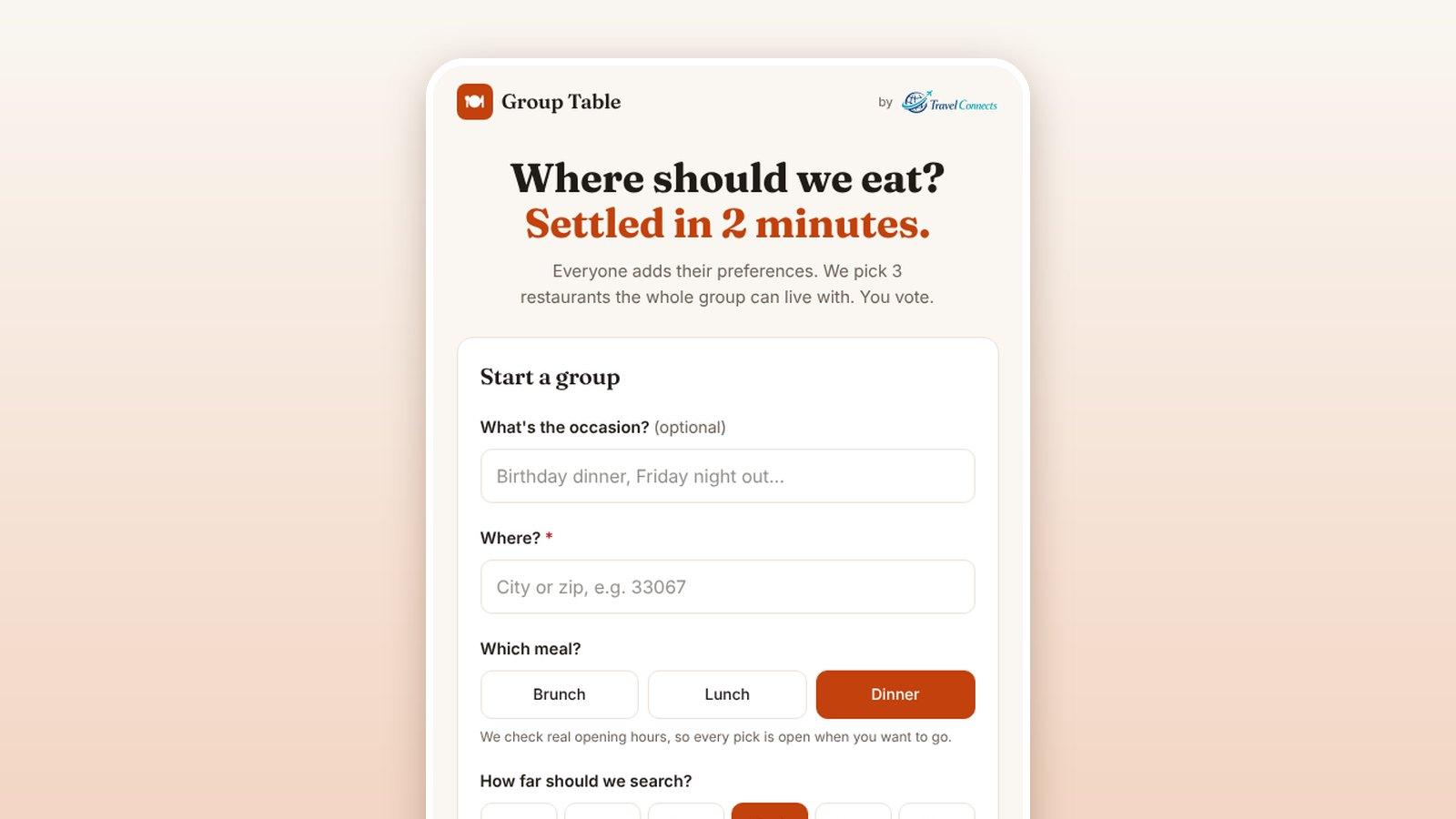
The short version: we built a free tool for the question every group trip asks at least once a day. It’s called TableConnects. Everyone adds their preferences on their own phone, TableConnects picks three nearby restaurants the whole group can live with, and you vote. No sign-up, no app to download, and it’s built to settle dinner in about two minutes.
Try TableConnects free →📲 Get it on your phone
Why choosing a restaurant gets harder with a group
Two people can pick a place in a minute. Eight people, on a trip, in a town nobody knows, is a different problem. One person is vegetarian, one has kids who need to eat by six, one doesn’t want to spend more than $30, and everyone says “I’m easy” while quietly ruling out half the options. The group chat fills up, the clock moves, and the place you end up at is often just the one that was still open.
On a group trip, the flights and the hotel are booked months ahead. Dinner on night two is often decided at 6:45 in a hotel lobby. TableConnects is our answer to that moment.
How TableConnects works
- Start a group. Name the occasion if you like, enter the city or zip code where you are, and choose brunch, lunch or dinner and how far you’ll go. You get a link to share.
- Everyone chimes in. Each person opens the link and takes about a minute to add the cuisines they’d enjoy, a budget per person, the vibe they want, how flexible they are, any dietary needs, and their deal breakers.
- Get three picks. TableConnects scores real local restaurants for the whole group and returns a top pick, a strong alternative in a different cuisine, and a wildcard. Each one comes with plain reasons it works and honest tradeoffs.
- Vote privately. Everyone votes on their own phone. Results stay hidden until everyone’s in, or until the organizer closes voting, and then the winner is revealed.
What makes the picks worth trusting
- Real opening hours. Every pick is checked against the restaurant’s actual hours for the meal you chose, so you don’t walk ten minutes to a locked door.
- Ratings with context. A 4.8 from 2,000 reviews counts for more than a 5.0 from twelve.
- Deal breakers count. Too loud, long waits, no reservations, limited vegetarian options, too expensive, too far, chains, fast food, poorly rated, not kid-friendly, no outdoor seating. One person’s deal breaker can rule a place out for the group.
- Reasons, not just a list. Picks explain themselves (“Italian is on Maya and Sam’s lists”) and name the catch (“Call ahead to confirm gluten-free options”).
- Three different options. The picks deliberately span different cuisines, so the vote is a real choice.
Where it helps on a trip
- Family reunions: three generations, one table, and very different ideas of a good dinner.
- Group cruises: lunch ashore on a port day, when nobody knows the town.
- Destination weddings: the free nights before and after the big day, when guests are on their own.
- Company retreats: the unscheduled evening, when the team splits into groups and each needs a plan.
- Friends’ getaways: brunch the morning after, when energy and patience are low.
It works just as well at home: birthday dinners, Friday nights out, or the after-game meal with the team.
Tips for the organizer
- Set the area to where you’re staying, not your home zip code.
- Pick under one mile if the group wants to walk.
- Share the link early, say mid-afternoon, so the picks are ready before anyone is hungry.
- Book as soon as the vote closes. Each pick shows whether it takes reservations; for six or more, call ahead.
Put TableConnects on your phone
TableConnects isn’t in the App Store, and it doesn’t need to be. Add it to your home screen in about 30 seconds and it opens with one tap, full screen, like any other app. It’s free, and your friends still join from the link, with or without it.
On iPhone: open TableConnects in Safari, tap the Share button (on newer iPhones, tap ••• first), tap Add to Home Screen, then tap Add.
On Android: open TableConnects in Chrome, tap the three-dot menu ⋮, tap Add to home screen (some phones say Install app), then tap Install.
Never done this before? Our install guide shows each step with a picture of exactly what to tap.
📲 Get TableConnects on your phone →
Common questions
Is TableConnects free?
Yes. TableConnects is free from Travel Connects. There's nothing to buy and no account to create.
Does everyone need to download an app?
No. It runs in the phone's web browser. The organizer shares one link in the group chat, and each person opens it and adds their preferences. All anyone types is a first name and their choices, with no email or phone number. If you organize dinners often, you can put TableConnects on your home screen in about 30 seconds; the steps are above.
Does it work when we're traveling?
Yes. It searches Google's restaurant listings around whatever city or zip code you enter, so set it to where you're staying, not where you live. For a walkable dinner, pick a search distance under one mile.
Does TableConnects book the table?
No. It helps the group choose; you book directly with the restaurant. Each pick links to its menu and website, and shows whether the restaurant takes reservations. For a big group, call ahead.
How does it handle food allergies and dietary needs?
Each person can add dietary needs and deal breakers, and they count against the restaurants that don't fit that person. When a pick is still a maybe, the tradeoffs say so, for example to call ahead and confirm gluten-free options. Always confirm allergies with the restaurant directly.
Planning the trip itself?
TableConnects settles dinner. The rest of the trip is what we do: group cruises, all-inclusive getaways, family reunions, destination weddings and company retreats, with rooms held together and separate payments for each family. Planning is free on standard trips. Tell us about yours in the form below, or start with our other free planning tools.